Welcome to MusicScales.net, a tool designed to help you dive into the fundamentals of music theory.
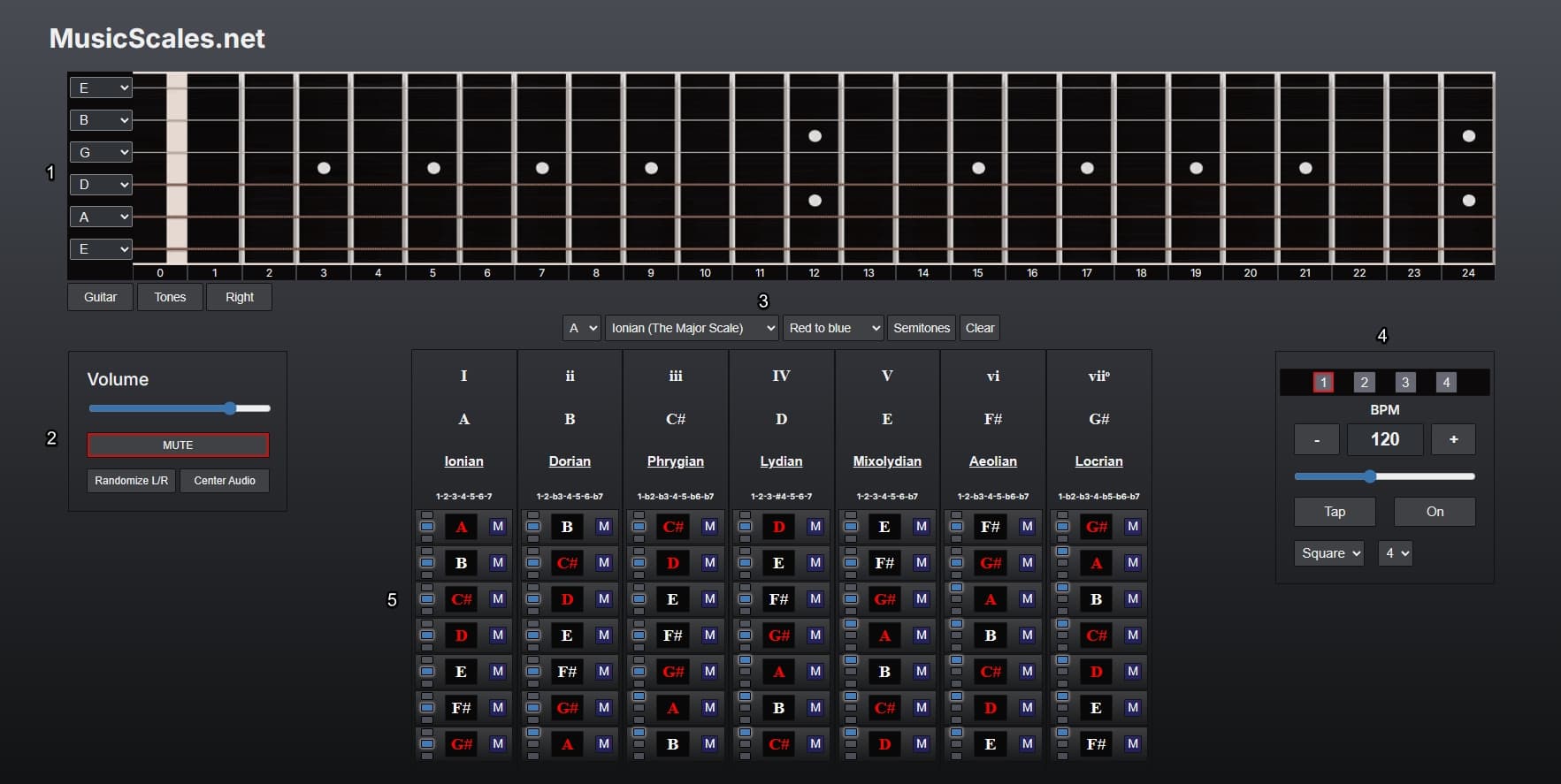
1. Instrument view
- Guitar / Piano
- Toggles between guitar and piano views.
- Tones / Intervals
- Toggles between showing note names or interval names on the instrument.
- Right / Left
- Toggles between right- and left-handed guitar.
2. Audio control
- Mute
- Toggles global mute. This mutes both the drone and the metronome.
- Randomize L/R
- Randomizes the left and right audio channels for the drone.
- Center Audio
- Centers the audio output to both channels.
3. Key, scale and color palette
- Drop-down menus
- Set the root note, scale/mode, and color palette.
- Semitones
- Toggles colors on and off for non-scale tones in the instrument view.
- Clear
- Clears all selected tones from the scale view.
4. Metronome
- BPM
- Shows and sets the current tempo in beats per minute.
- − / +
- Decreases or increases the BPM by one step.
- Tap
- Sets the tempo by tapping in rhythm.
- On / Off
- Starts or stops the metronome.
- Drop-down menus
- Set the click sound and the number of beats per bar.
- Beat pattern
- Sets the accent pattern for the metronome (ABAB, ABBB, etc).
5. Scale view
- Tone button
- Toggles a tone on or off. When active, the tone is shown on the instrument and played by the drone (unless muted).
- Three dots
- Sets which octaves are played on the drone for that tone.
- M
- Mutes a single tone from the drone while keeping it visible.
- Scale name
- Toggles all tones in the scale on or off at once.
Have fun!